![bmk logo dark@2x.png]](https://info.biomemakers.com/hs-fs/hubfs/Web%20Images/Logos/bmk%20logo%20dark@2x.png?height=30&name=bmk%20logo%20dark@2x.png)
1. Log In to the BeCrop Portal
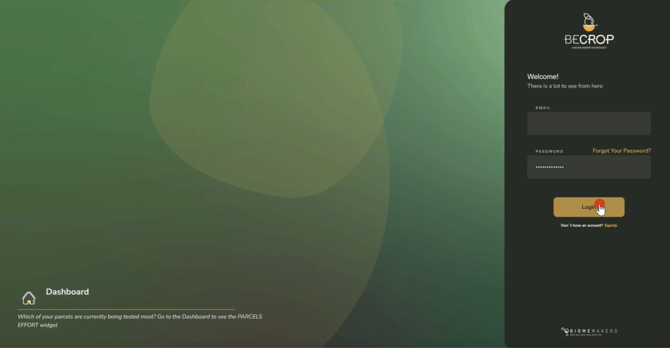
Go to portal.becrop.com. Enter your email and password, then click Log In.
If you’re new, click Sign Up to create your account, or check out our guide on how to create your account.
.
2. BC Farm module
Once logged in, select the "BC Farm" module from the top bar.

3. View "All Farms"
Click “View all Farms” to see your available farms. It is also accesible through "FARMS" from the left sidebar.

4. Find the desired farm
Click the 3-dots button in the Actions column for the desired farm.

5. Request quote
Click "Request Quote" to request the analysis of the desired farm.

6. Set Your Project Preferences
You’ll now be prompted to select or deselect additional project options:
- Recurring Monitoring – Turn this on if you want multiple samplings across the season.
- Physical-Chemical Metrics – Deselect if these are not required for your project.

7. Confirm Your Interest
Click “Confirm My Interest” to finalize and submit your quote request.

Note: Your request will be reviewed by the Biome Makers team. You’ll receive a quote via e-mail based on the selected fields and project parameters. If needed, your account manager will contact you to refine the details.