![bmk logo dark@2x.png]](https://info.biomemakers.com/hs-fs/hubfs/Web%20Images/Logos/bmk%20logo%20dark@2x.png?height=30&name=bmk%20logo%20dark@2x.png)
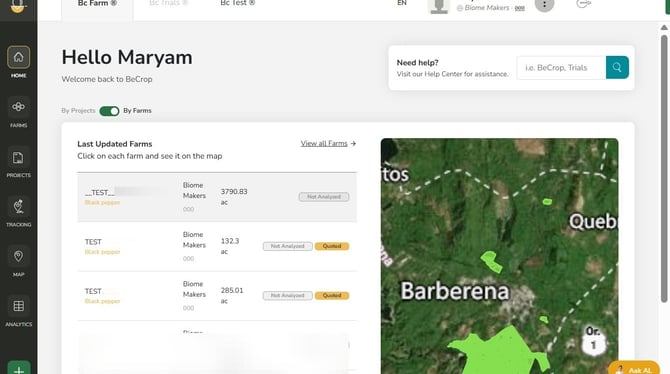
1. Navigate to https://portal.becrop.com/dashboard
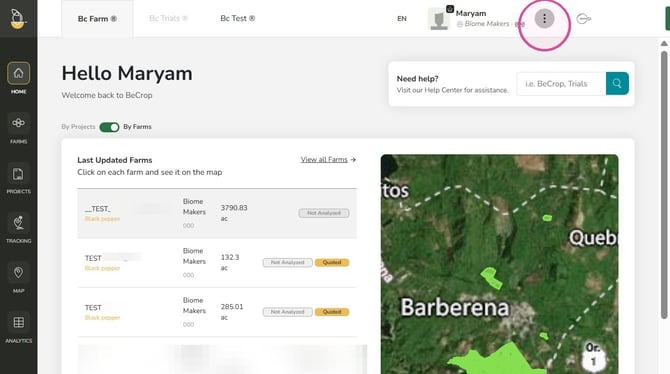
2. Click the three dot button.
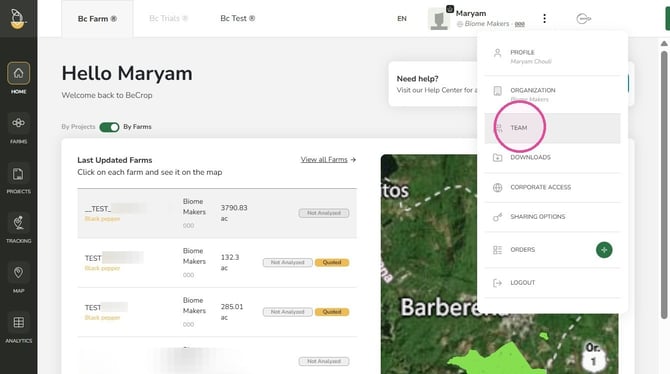
3. Click "Team" from the drop down list
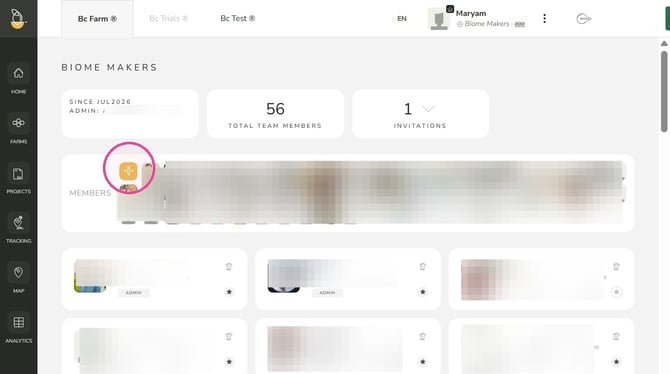
4. Click "+" in the Members section
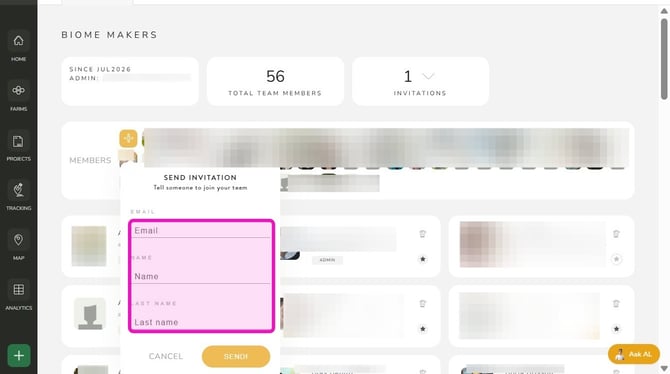
5. Enter members "Email", "First Name" and "Last Name"
6. Click "Send"
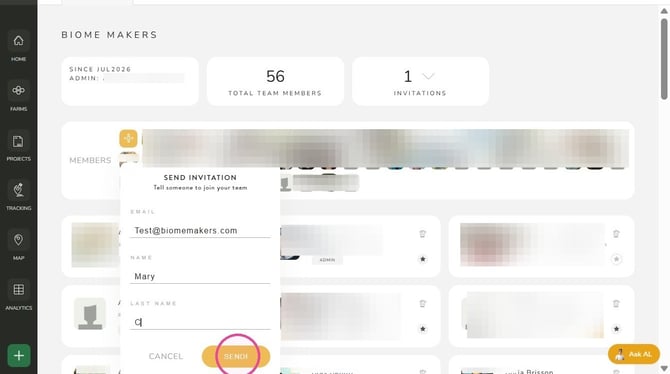
7. The member will receive an email invite to join the team
Troubleshooting & Support
If you encounter errors or need assistance, please contact the Customer Success Team:
- North America: uscs@biomemakers.com
- Europe & Latam: eucs@biomemakers.com