![bmk logo dark@2x.png]](https://info.biomemakers.com/hs-fs/hubfs/Web%20Images/Logos/bmk%20logo%20dark@2x.png?height=30&name=bmk%20logo%20dark@2x.png)
To Grant Access
1. Navigate to https://portal.becrop.com/dashboard
2. In the Dashboard click the three (:) dots beside your name at the top right corner. Select "Shared Access"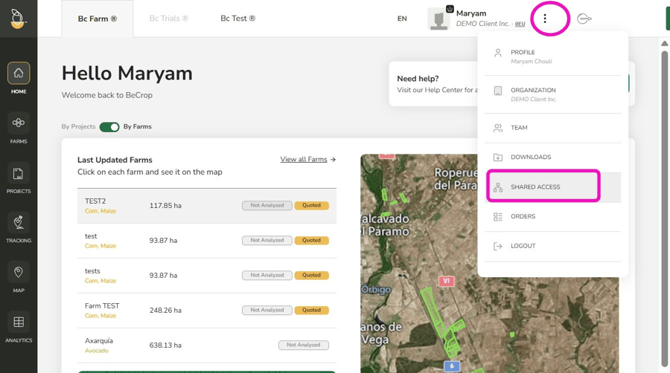
3. You can select to share Samples, Project or R&D (if applicable)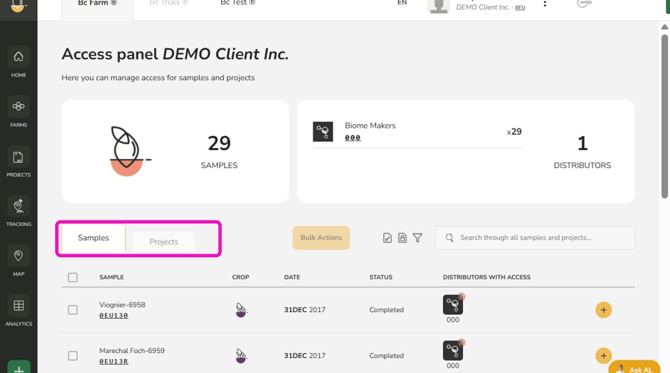
4. Select the specific Sample or Project you want to share and select plus (+). You can also select multiple lines and select "Bulk Action"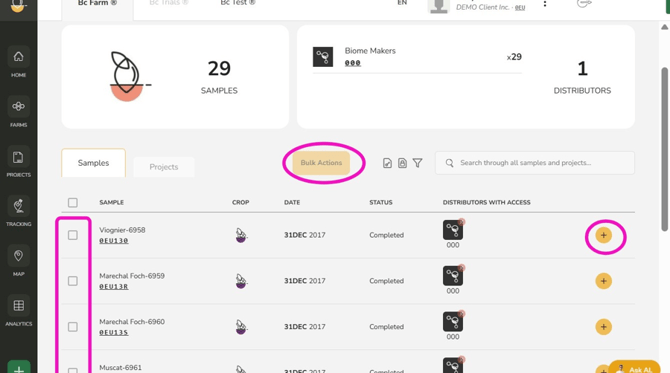
5. Select the Distributor(s) you want to grant access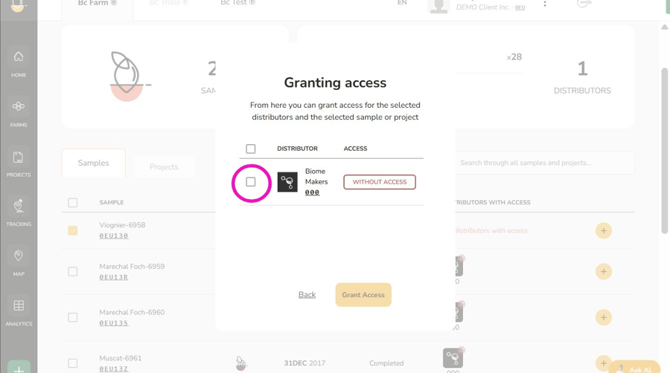
6. Click "Grant Access"
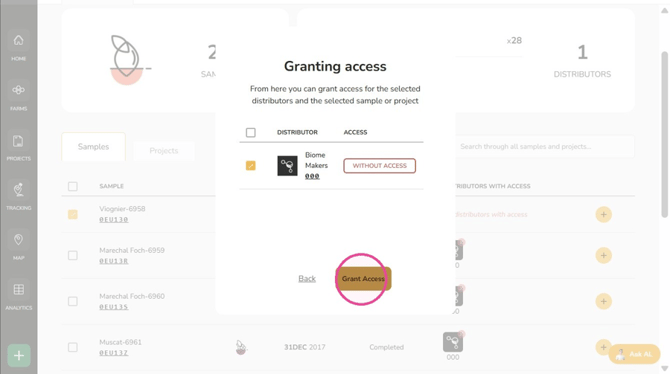
7. Click "Continue"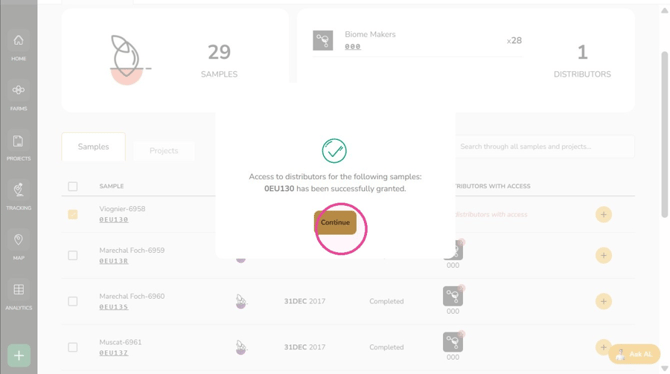
The distributor now has access to the selected samples or projects
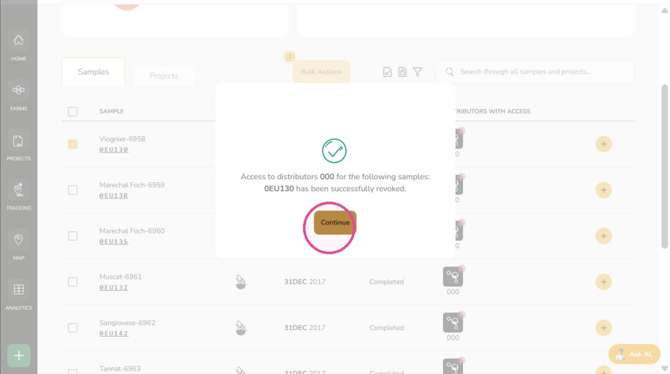
To Revoke Access from Distributors
1. Click "x"
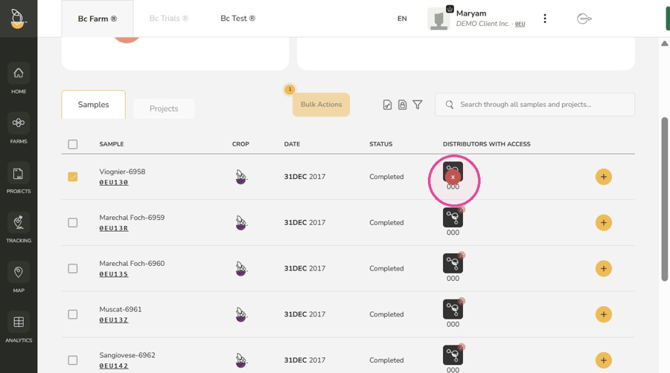
2. Click "Revoke Access"
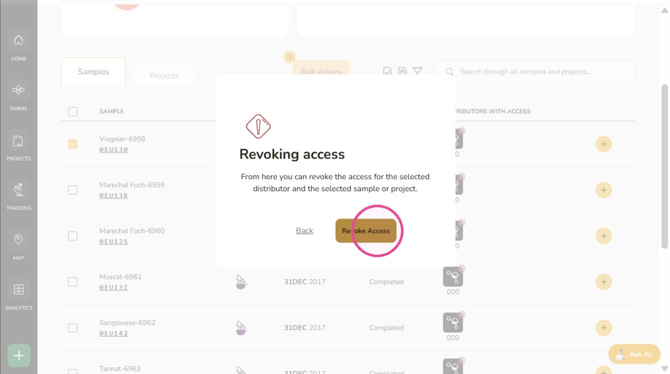
3. Click "Continue"
Troubleshooting & Support
If you encounter errors or need assistance, please contact the Customer Success Team:
- North America: uscs@biomemakers.com
- Europe & Latam: eucs@biomemakers.com