![bmk logo dark@2x.png]](https://info.biomemakers.com/hs-fs/hubfs/Web%20Images/Logos/bmk%20logo%20dark@2x.png?height=30&name=bmk%20logo%20dark@2x.png)
How to Create Your Account
Check your email for an invitation
-
After becoming a Biome Makers customer, you’ll receive an email invitation to the address you provided.
-
Look in your Inbox, Promotions, or Spam folders.
Open the invitation email
-
Click the unique activation link provided.
-
Important: Use this link to activate your account. Creating a new profile from the login page instead of accepting the invitation may cause access issues.
-png.png?width=1867&height=886&name=image%20(9)-png.png)
Fill in your account details
-
Enter your name, email, and create a secure password you’ll remember.
-
If you forget your password, you can request a reset link from the login page.
Click “Sign Up”
-
Your account will be created and automatically linked to your results and services in the BeCrop® Portal.
Logging In to the BeCrop® Portal
-
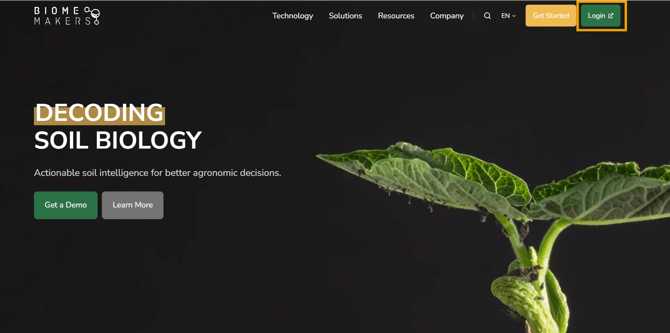
Web access: Go to biomemakers.com and click Login in the top-right corner.
-png-1.png?width=1867&height=886&name=image%20(9)-png-1.png)
-
Once in the BeCrop Portal main page, enter your email and password, then click Login.
-
If you haven’t activated your account yet, click Join and follow the steps in your invitation email.