![bmk logo dark@2x.png]](https://info.biomemakers.com/hs-fs/hubfs/Web%20Images/Logos/bmk%20logo%20dark@2x.png?height=30&name=bmk%20logo%20dark@2x.png)
Logging In
-
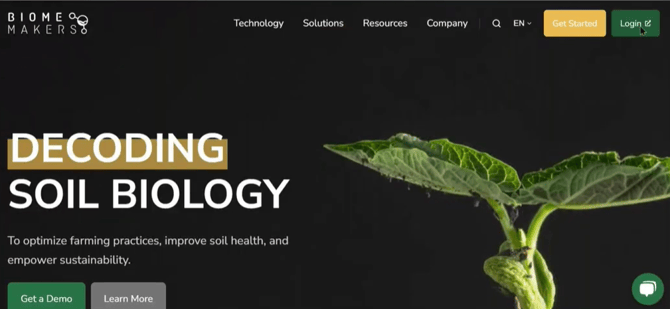
Go to biomemakers.com.
-
Click Login in the top-right corner.
-
Enter your email and password (set up during your account activation).
-
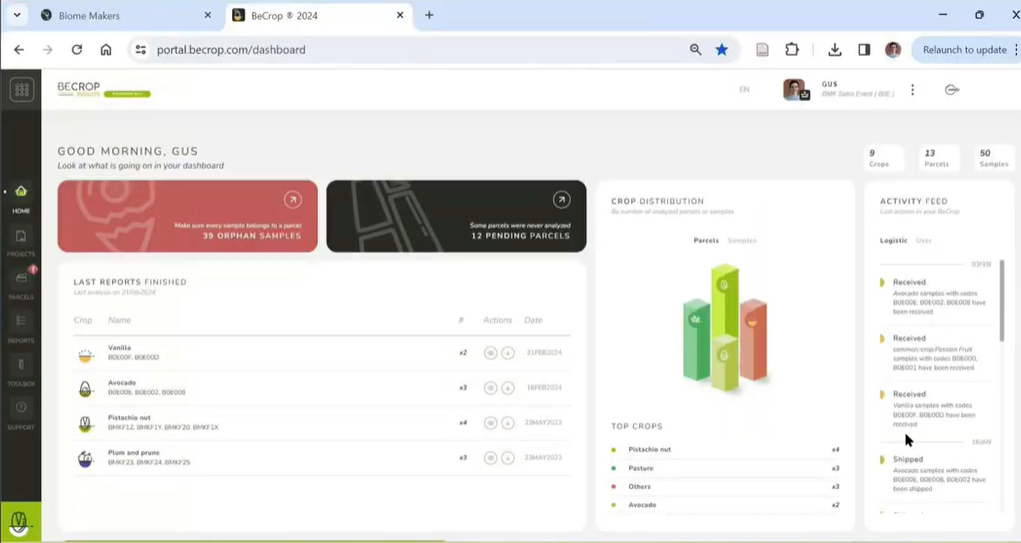
Once logged in, you’ll land on the Dashboard.
Need help creating your account? See our guide: Creating Your BeCrop® Portal Account.
Dashboard Overview
The home dashboard provides a quick snapshot of your data:
- Number of crops, fields, and samples in your account
- Recently completed reports (downloadable directly)
- Disease and nutrient issues detected across your samples
- High-level trends emerging from your fields
Managing Your Account
Click on your profile box in the top-right corner to access:
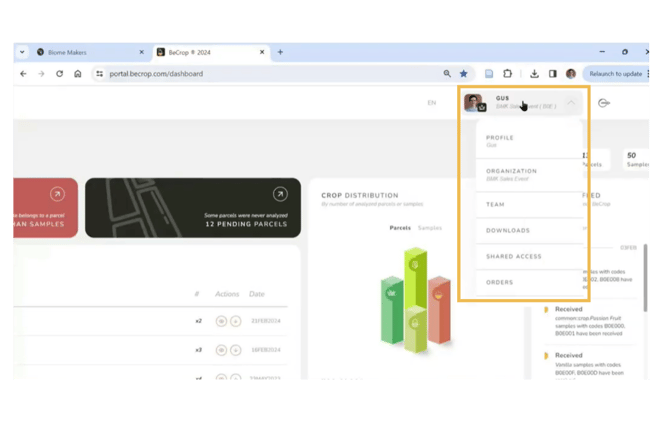
- Profile & Organization: Update your details or organization info
- Team: Add or remove members of your organization (invite via email)
- Downloads: Access raw data, spreadsheets, and reports
- Shared Access: (available upon request) Share reports with sub-client accounts, ideal for advisors or agronomists managing multiple growers
Navigation Bar
On the left side, you’ll find the main navigation:
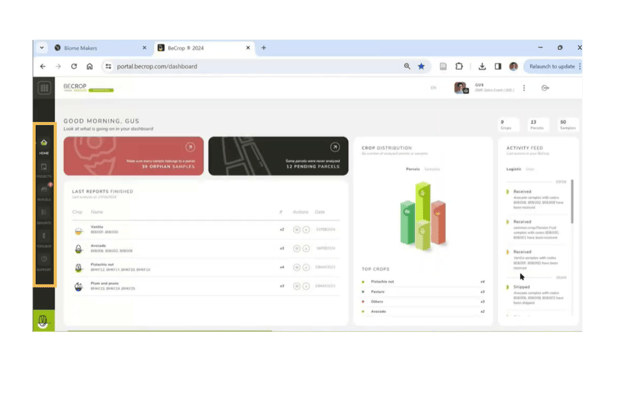
- Home: Return to your dashboard anytime
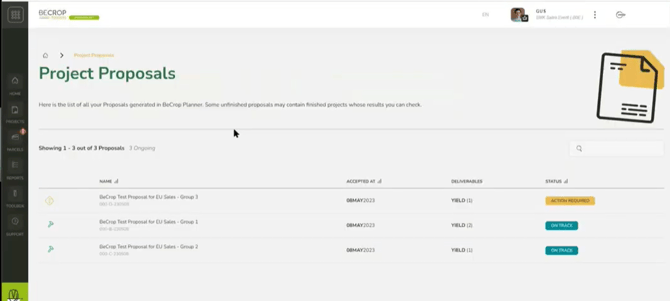
- Projects: Access BeCrop® Trials, BeCrop® Rate, yield, or disease projects. View results in-browser, download reports, and check project status (On Track / Action Required)
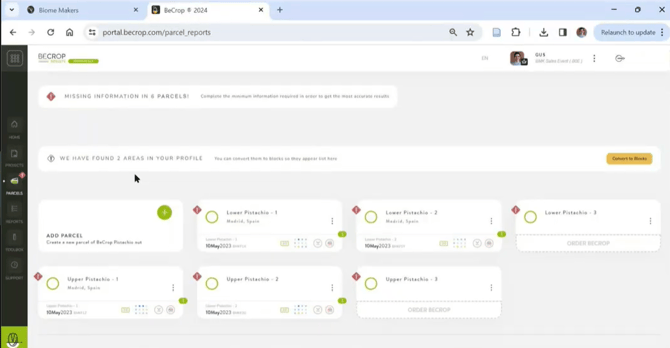
- Parcels: Organize samples by field (parcel). Add shapefiles or GPS boundaries, assign names, and group samples by management zone or grower
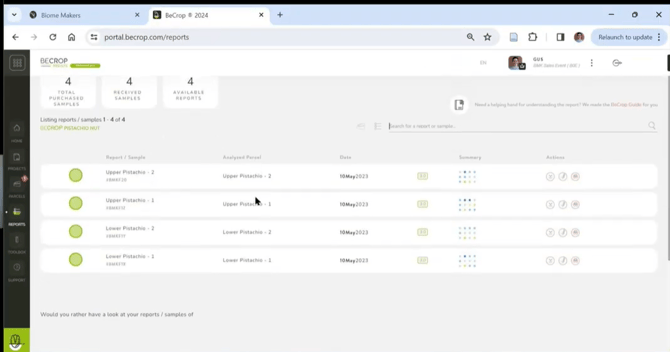
- Reports: View all completed reports by crop type.
- Download PDF reports
-
- View summary metrics (soil quality, plant health, nutrition)
-
- Add or edit metadata (soil type, planting year, management practices)
-
- Search for specific reports
- Search for specific reports
Using the Reports Tab
Each report includes:
- Sample name and parcel assignment
- Collection date and shapefile (if uploaded)
- A summary of BeCrop® metrics (soil quality, plant health, nutrition) scored against the global database
- Actions:
- Download full PDF reports
-
- Edit metadata for samples
-
- Search across large datasets
- Search across large datasets
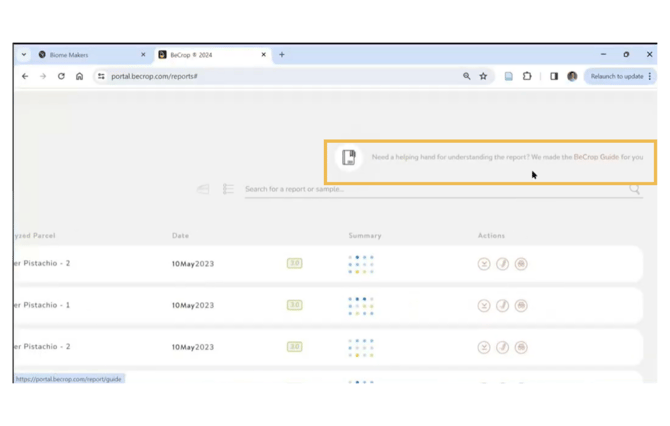
📘 Tip: Use the BeCrop Guide (linked in the Reports tab) for clear definitions of all metrics.
 Advanced Features
- Toolbox: Compare samples, analyze taxonomy, and access deeper datasets.
- Sub-client Accounts: Advisors can request this feature to allocate data to specific growers while maintaining confidentiality.
If you experience issues accessing or navigating the Portal, contact Biome Makers:
- Customer Success Team: for login or account setup issues
- Agronomy Team: for guidance on interpreting data or using analysis tools