![bmk logo dark@2x.png]](https://info.biomemakers.com/hs-fs/hubfs/Web%20Images/Logos/bmk%20logo%20dark@2x.png?height=30&name=bmk%20logo%20dark@2x.png)
The Fields Page
The Fields page (sometimes referred to as Parcels) allows you to organize your samples by the field or parcel they belong to. Each sample can be linked to a specific Field ID, helping you keep your results organized and easy to track.
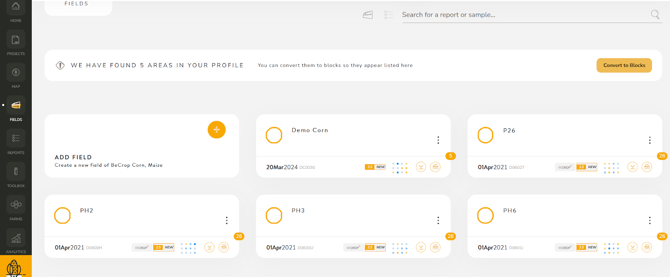
You can also add geolocation data to connect each sample to an exact in-field location. This feature is useful for visualizing where samples were collected, comparing management zones, or cross-referencing with your map view.
Use this page to:
- Create and name parcels or fields
- Assign samples to each parcel
- Add GPS coordinates for in-field precision
The Reports Page
The Reports page displays all of the BeCrop® reports you have access to, organized by crop type.
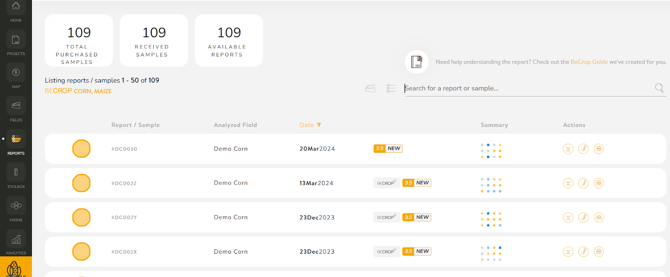
When you open this page, you’ll see a list of reports for your active crop. For example, if you have corn samples, all corn reports will appear together.
If you work with several crops, you can switch between them in two ways:
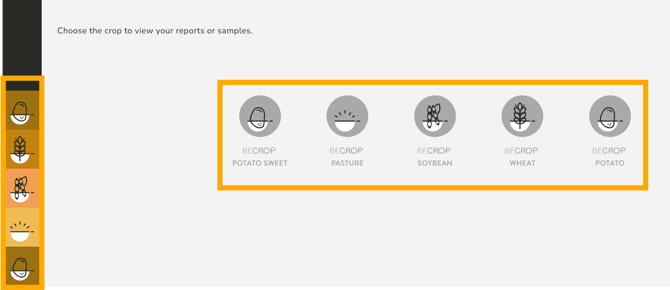
- Use the crop icons at the bottom of the page to change the active crop view
- Or click on the crop symbol in the lower-left corner and select another crop type from the menu
Each report is linked to the corresponding sample, and several quick actions are available:
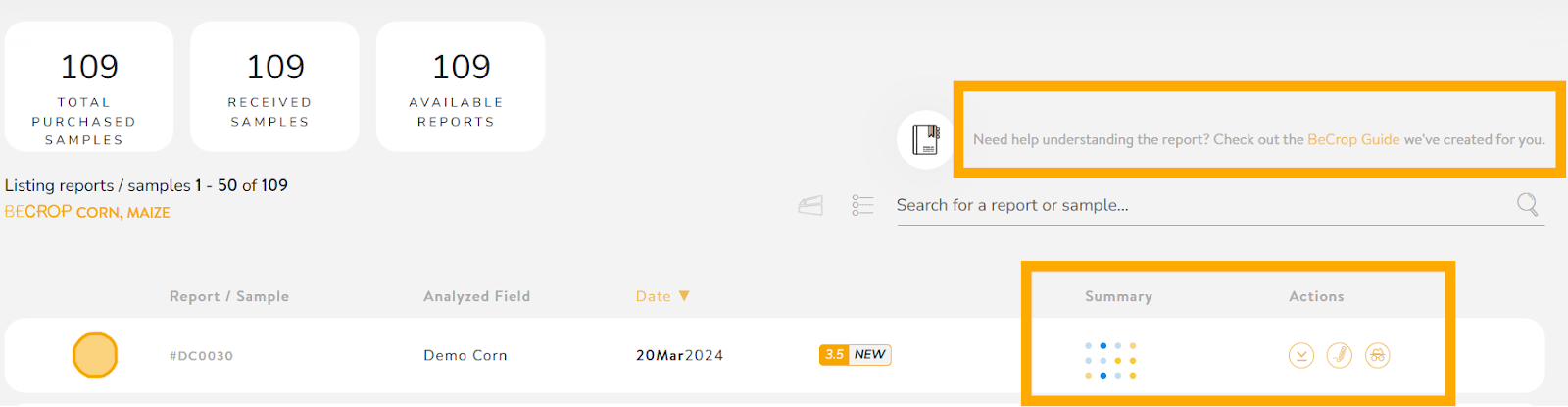
- Download Reports: Click the download arrow next to any sample to save the PDF version of that BeCrop® report.
- View Summaries: Hover over the summary icon to see a quick preview of key metrics before opening the full report.
- Access the BeCrop® Guide: Click the BeCrop Guide link to download a document explaining all report metrics and soil biology indicators in clear, practical language.
The BeCrop® Guide is a great reference to help you interpret what each index or biological function means for your soil and crop performance.
Quick Tips
- Keep your Fields page updated as you add new samples to maintain accurate records.
- Download and store PDF reports for offline use or to share with advisors or agronomists.
Use the BeCrop Guide whenever you need more context about specific functions or microbial indexes mentioned in your report.