![bmk logo dark@2x.png]](https://info.biomemakers.com/hs-fs/hubfs/Web%20Images/Logos/bmk%20logo%20dark@2x.png?height=30&name=bmk%20logo%20dark@2x.png)
This tool is ideal for:
- Exploring the distribution of microorganisms within one sample
- Identifying dominant species in your soil
- Searching for specific microbes of interest (e.g., Saccharomyces, Pseudomonas)
- Filtering by type (fungi, bacteria, protist, etc.)
📌 Tip: The Explorer Tool is not designed for comparing multiple samples. For comparisons, use the HeatMap Tool or the Abundance Box Plot tool.
Accessing the Explorer Tool
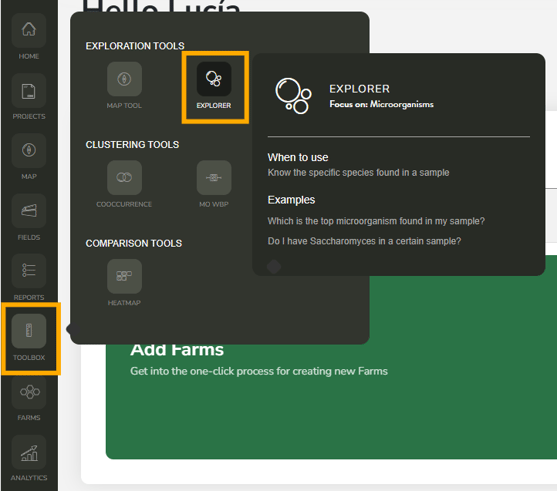
- Log into your BeCrop® Portal.
- From the left-hand menu, select Toolbox.
- Click on Explorer Tool.
- Choose the sample you want to analyze from the list on the left.
Navigating the Explorer Tool
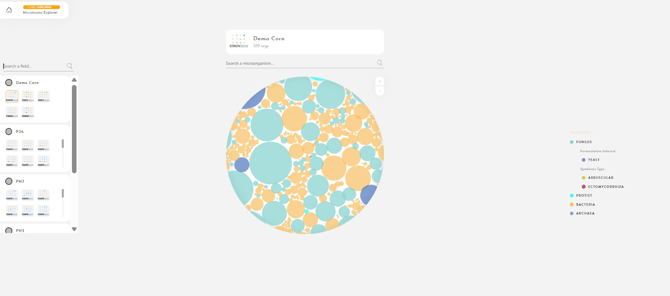
Petri Dish View
- Each circle represents one microorganism (species or genus).
- Size of circle = relative abundance in your sample.
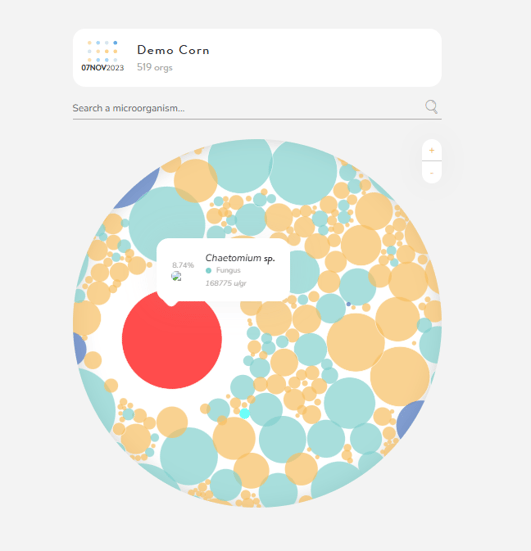
Hover over a circle to see:
-
-
Microorganism name
-
Relative abundance %
-
Kingdom (e.g., fungi, bacteria)
-
Filtering Microorganisms
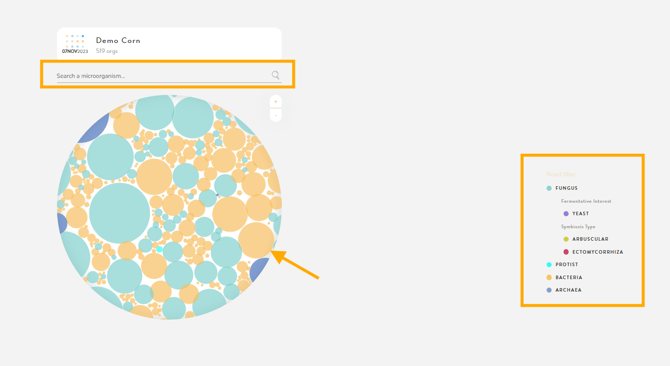
You can filter microorganisms in three ways:
- Search bar – Type in a microorganism (e.g., Pseudomonas).
- The species will be highlighted in red with its abundance shown.
-
- Entering only a genus name (e.g., Bacillus) will display all species in that genus.
- Entering only a genus name (e.g., Bacillus) will display all species in that genus.
- Click circles – Select directly from the infographic to view name, abundance, and category.
- Filter by kingdom – Limit the display to a specific group, such as:
- Fungi
-
- Yeast
-
- Arbuscular/Ectomycorrhizal fungi
-
- Protists
-
- Bacteria
-
- Archaea
Exploring Results
- Identify top organisms – See which species dominate your sample.
- Focus on categories – For example, check if beneficial mycorrhizal fungi are present.
- Search for targets – Confirm the presence of specific microbes linked to crop health, stress adaptation, or disease risk.
When to Use the Explorer Tool
Use this tool when you want to:
- Understand the microbial diversity of a single soil sample
- Detect pathogens or beneficial microbes in your field
- Investigate whether specific microorganisms of interest are present
- Prepare more targeted analysis using other BeCrop® tools