![bmk logo dark@2x.png]](https://info.biomemakers.com/hs-fs/hubfs/Web%20Images/Logos/bmk%20logo%20dark@2x.png?height=30&name=bmk%20logo%20dark@2x.png)
This tool is ideal for:
-
Identifying species common to all your samples
-
Finding organisms unique to certain parcels or treatments
-
Comparing biodiversity across different management practices
Accessing the Co-Occurrence Tool
-
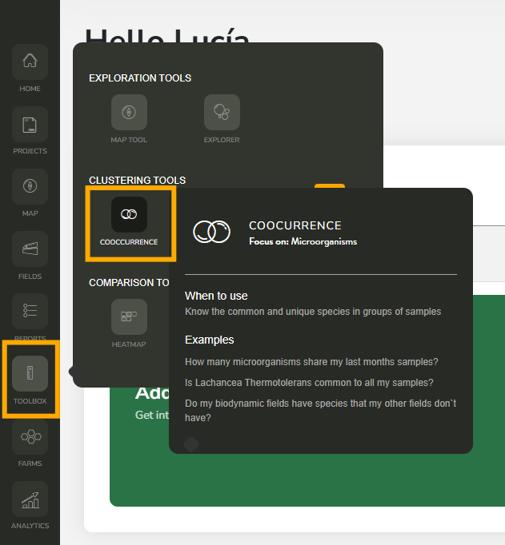
Log into your BeCrop® Portal.
-
From the left-hand menu, go to Toolbox.
-
Select Co-Occurrence Tool.
Setting Up Clusters
Just like in the HeatMap and BoxPlot tools, you’ll first need to group your samples into clusters:
- Select samples – Use the arrow or circle under each sample to assign it to a cluster.
- Name clusters – Give each group a clear label (e.g., “Biodynamic parcels” vs. “Conventional parcels”).
- Save clusters – Use the disk icon to save your configuration for future use.
- Load saved clusters – Access your saved configurations anytime using Load Saved Configurations.
Running a Comparison
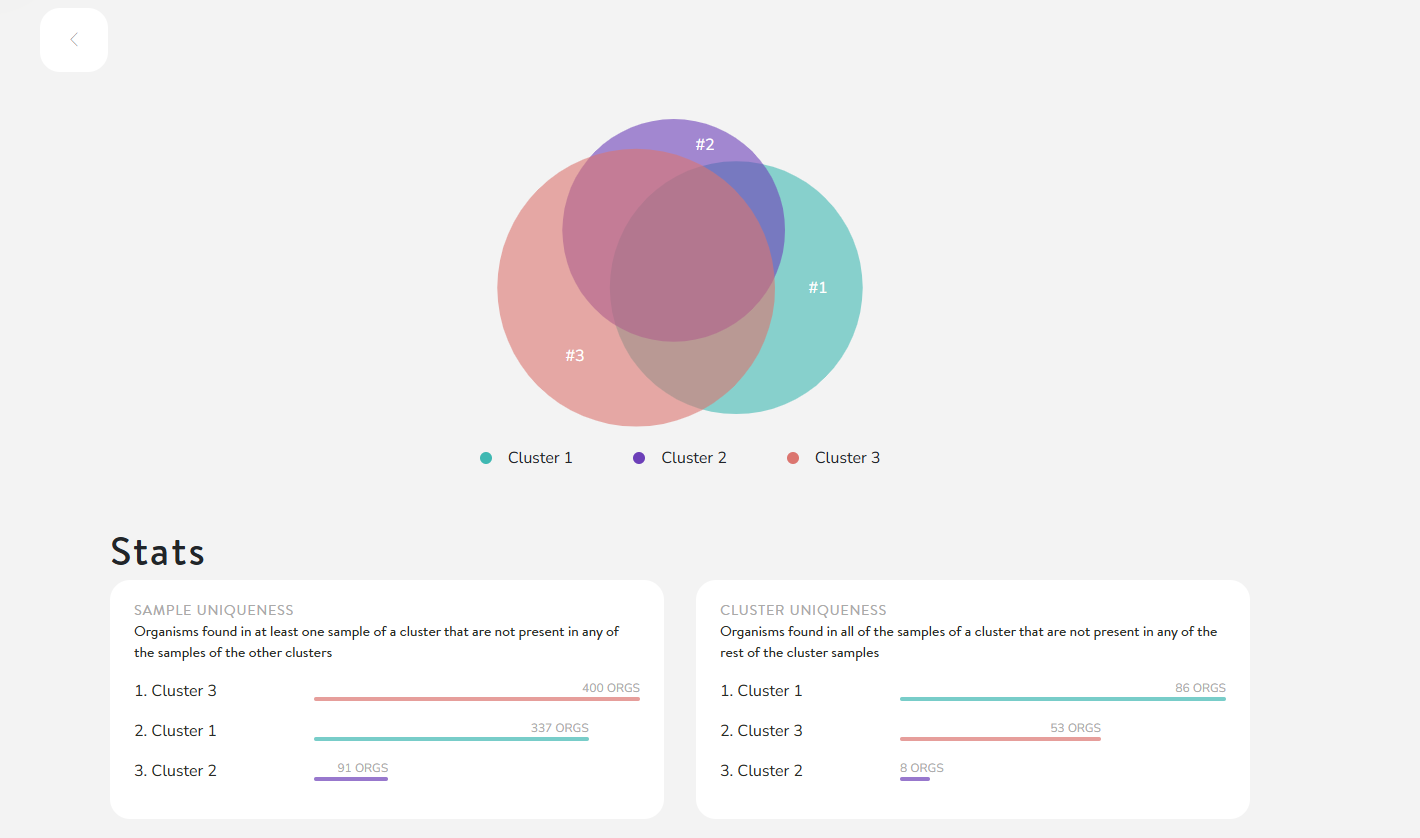
Once your clusters are set, click Compare.
-
The tool will generate a Venn diagram showing:
-
Shared organisms – Microorganisms present in multiple clusters
-
Unique organisms – Microorganisms found only in one cluster
-
-
Hover over sections of the diagram to see the number of microorganisms represented.
Understanding Results
Key Metrics
-
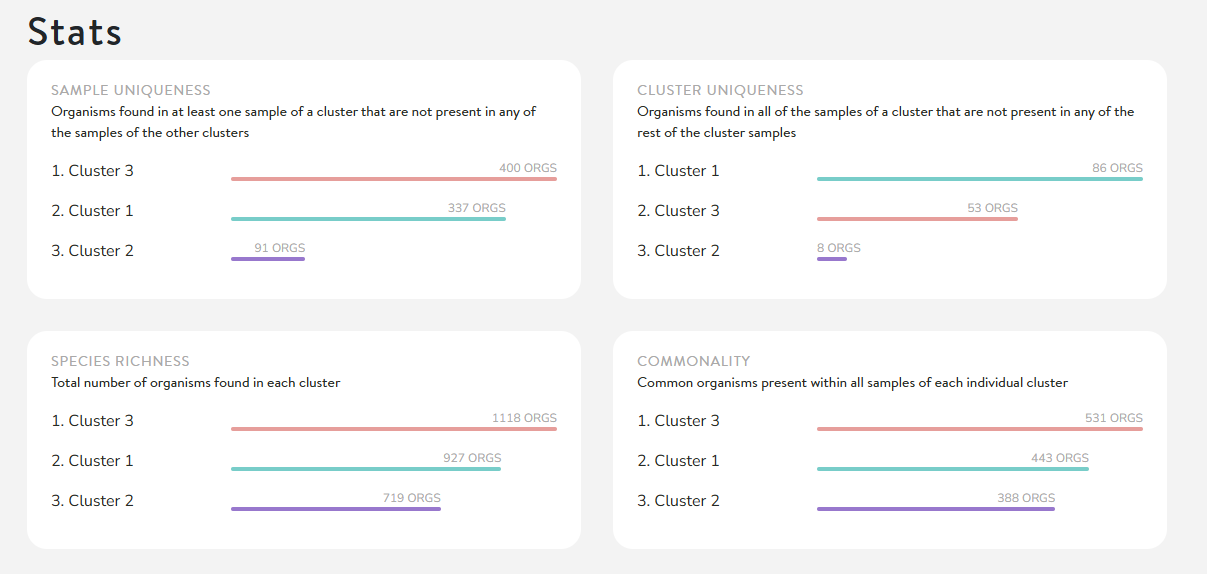
Uniqueness – Organisms found in some samples of a cluster but absent from all other clusters.
-
Species Richness – The variety of organisms within each cluster.
-
Cluster Uniqueness – Organisms consistently found in all samples of a cluster, but not in others.
-
Commonality – Organisms that are common across clusters.
Drill Down into Lists
-
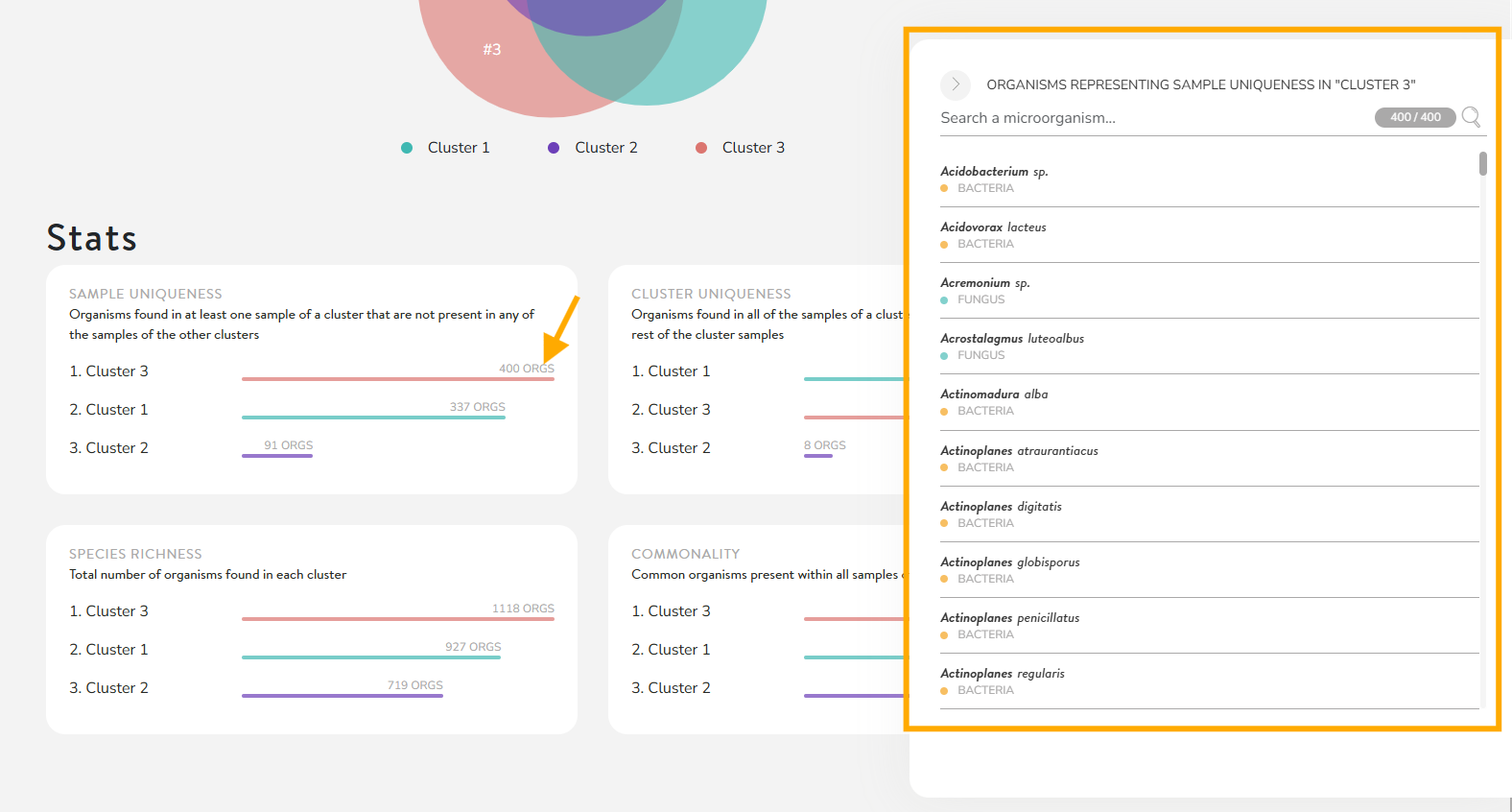
Click on colored bars to expand the list of species.
-
Use the search bar to quickly locate a specific microorganism (e.g., Lachancea thermotolerans).
Example Questions You Can Answer
-
Do my biodynamic parcels host species absent from conventional parcels?
-
Is Lachancea thermotolerans common across all my vineyard blocks?
-
How many microorganisms were shared between last month’s samples?
When to Use the Co-Occurrence Tool
-
To compare microbial diversity across management styles (e.g., organic vs. conventional)
-
To identify unique organisms tied to a specific field or treatment
-
To understand overlaps in microbial communities across clusters of samples
👉 Want a Step-by-Step Walkthrough?
Prefer to learn by watching? Check out our explainer video on using the Co-Occurrence Tool for a guided, step-by-step demo.